Anthora for Mac · Folder guide
A photo library for the folders on your external drive.
Camera imports, saved screenshots, and old video folders can be easy to store and hard to browse. Anthora gives those folders a gallery and a local search index. Your original files stay where they are.
This guide uses Anthora, made by Anders. Browse and organize an unlimited library for free, with no account or time limit. Photo books, PDF exports, and cleanup tools are also free.
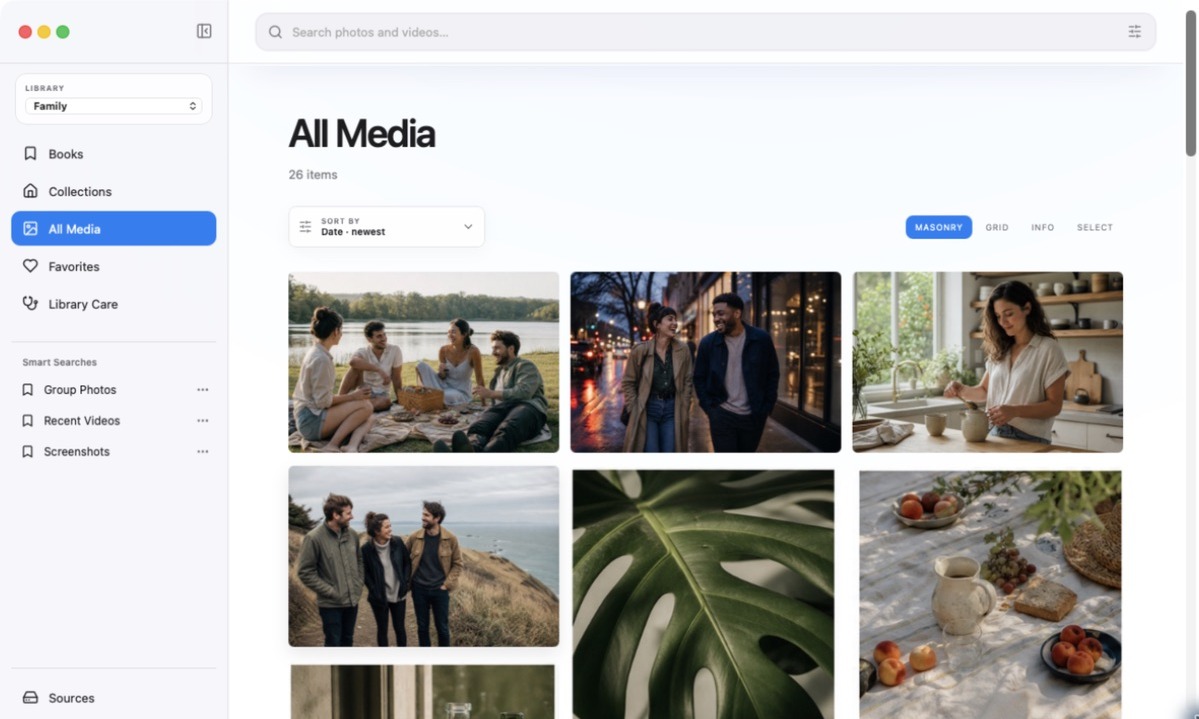
Start with one folder
Connect your external drive and make sure you can open the files in Finder. Choose a small photo folder for your first scan so you can try the workflow before indexing a larger collection.
- Install Anthora. Download the ZIP from the Anthora page, unzip it, and drag the app into Applications. This release is not Apple-notarized; follow the first-open instructions if macOS asks for confirmation. You do not need to disable Gatekeeper.
- Add your folder. Open Sources in the sidebar, then drag one or more folders from Finder or choose Add Folder. Anthora indexes them in place rather than moving the originals into a new library.
- Let the previews appear. Leave the app open while it scans. You can browse items as they appear. Sources shows the indexed count; Stop scan stops indexing while keeping the items already found.
- Try finding something. Browse the gallery, open an image or video, and mark a favorite. Search by filename or date. For a screenshot, try a word visible inside it once local text analysis has finished.
Keep the files and the index separate in your mind
Anthora creates an index and preview cache; the original photos and videos stay in their source folders. Keep the external drive connected when you need to open its originals. An index is not a second copy of your collection, so keep a separate backup.
If an older version stopped scanning at 500 items, update to the current Anthora release and rescan that source. No purchase is needed to index the rest. Scan time depends on the collection and drive; there is no promised finish time.
Review duplicates before removing anything
Duplicate analysis and cleanup actions are free. Inspect the matches before deciding what to remove. Review the actual files before acting; automatic matches are suggestions.
Items removed through Anthora enter its 30-day recovery area. That recovery window does not replace a backup or protect files deleted through other apps.
Check the fit before downloading
Which Mac and file types does it support?
An Apple silicon Mac (M1 or newer) running macOS 14 or later. Supported images include JPG, JPEG, PNG, HEIC, HEIF, WebP, GIF, TIFF, and TIF; video formats are MOV, MP4, and M4V. Check the installation requirements before starting.
Can I point it at an Apple Photos library?
No. Anthora works with ordinary folders, not the Photos.app library directly. This guide is for media already accessible as files on your drive. Cloud-only placeholders must be downloaded before they can be indexed.
Do my photos get uploaded?
No. Anthora’s browsing and image analysis run locally. There is no paid activation or license key. Read the privacy information.
Does search understand any description I type?
No. Version 1.1.1 includes filename, date, visible-text and other indexed filters. Semantic natural-language search, best-shot grouping, and crop-aware matching are not included.
Try it with your own folder.
Anthora includes unlimited indexing, browsing, playback, search, duplicate analysis, photo books, PDF exports, and cleanup tools. All features are free.
M1 or newer · macOS 14+ · Direct download, not Apple-notarized